Searchable field references
Move from a broad search to the exact reference without working through folders or unrelated material. Title 39, the 2C Charging Manual, and field-sobriety references form the starting library.
ROOK BY CANIS VIAE
ROOK combines agency-approved references, optional offline GIS tools, officer access, operational notices, structured Citizen Encounter Log submission, and managed Windows updates. Administrators control what is published and who can use it.
Explore the officer experienceTHE OFFICER EXPERIENCE
ROOK keeps navigation consistent across every approved package. Officers can search, select, and review structured information without leaving the application or sorting through unrelated files.
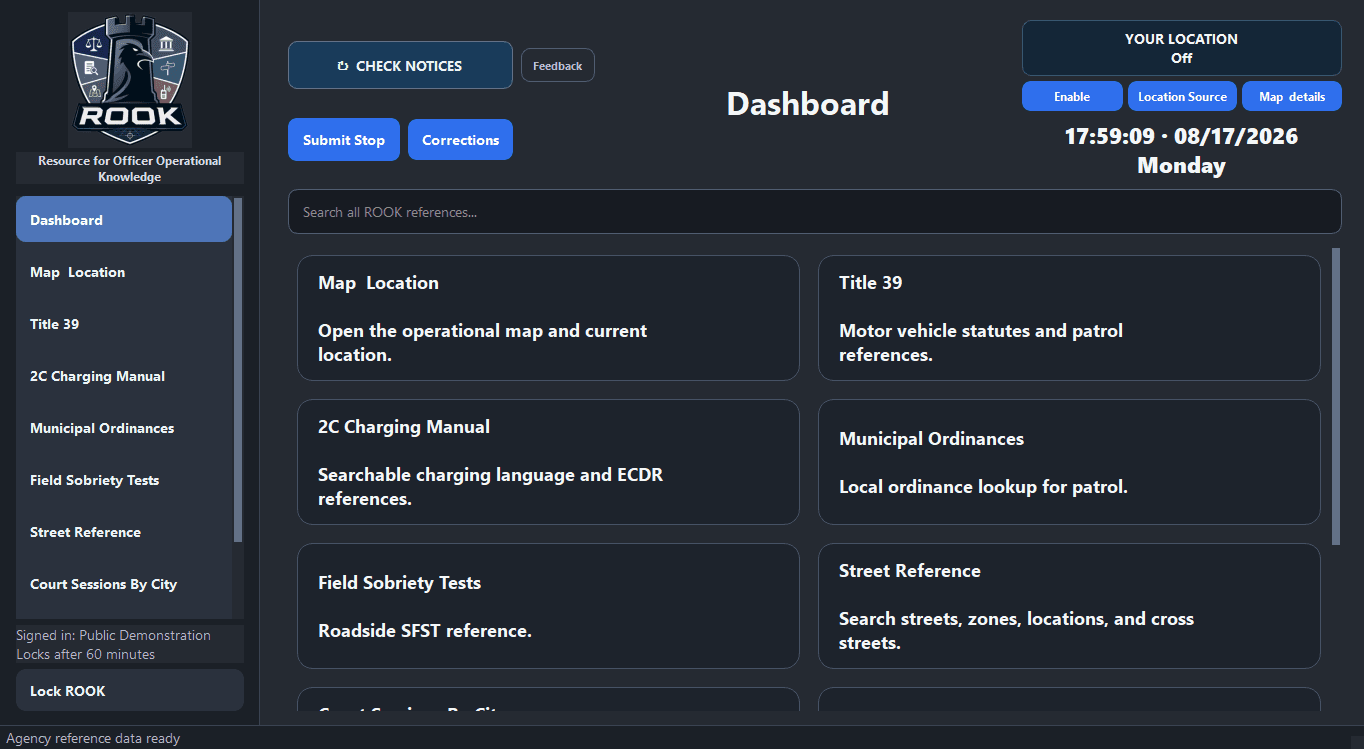
The dashboard gives officers a direct path into the references their organization has approved. Unpublished and empty sections stay out of the way.
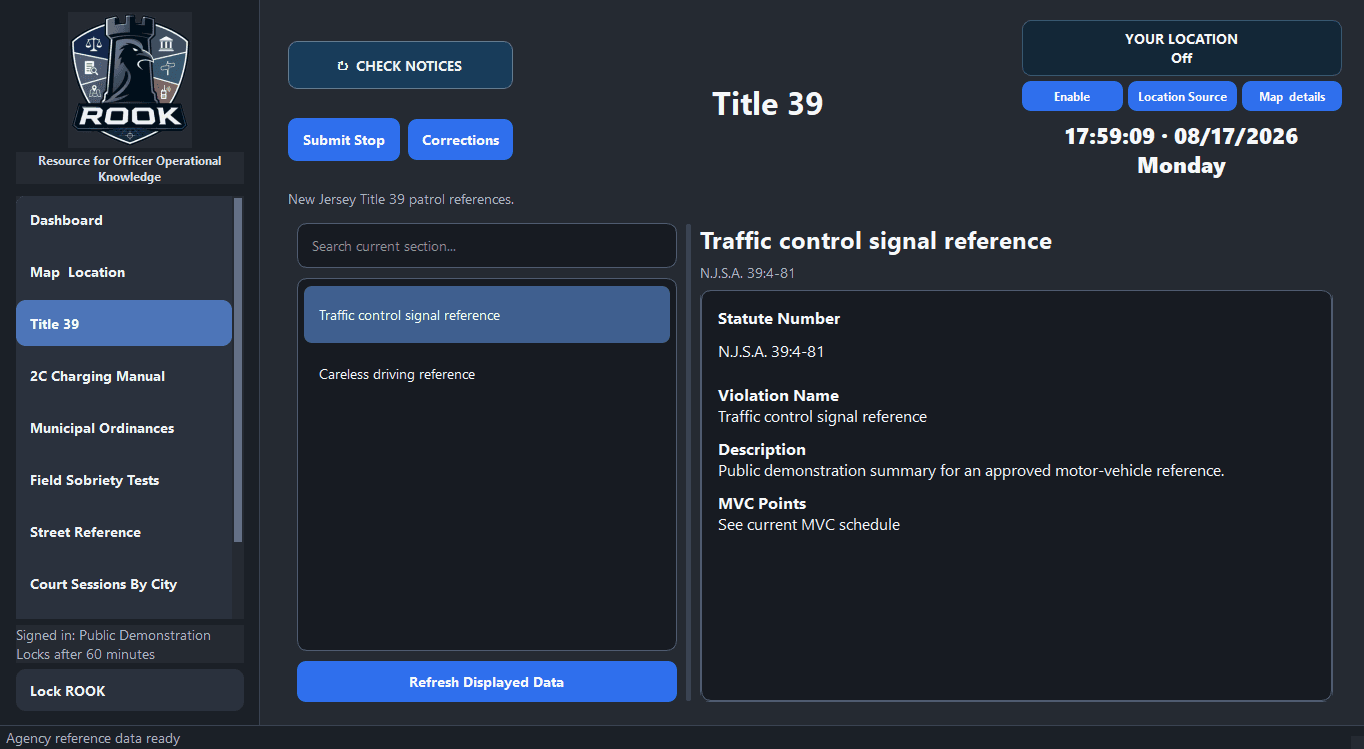
Searchable lists and a stable detail pane keep the selected reference visible while an officer moves through related results.
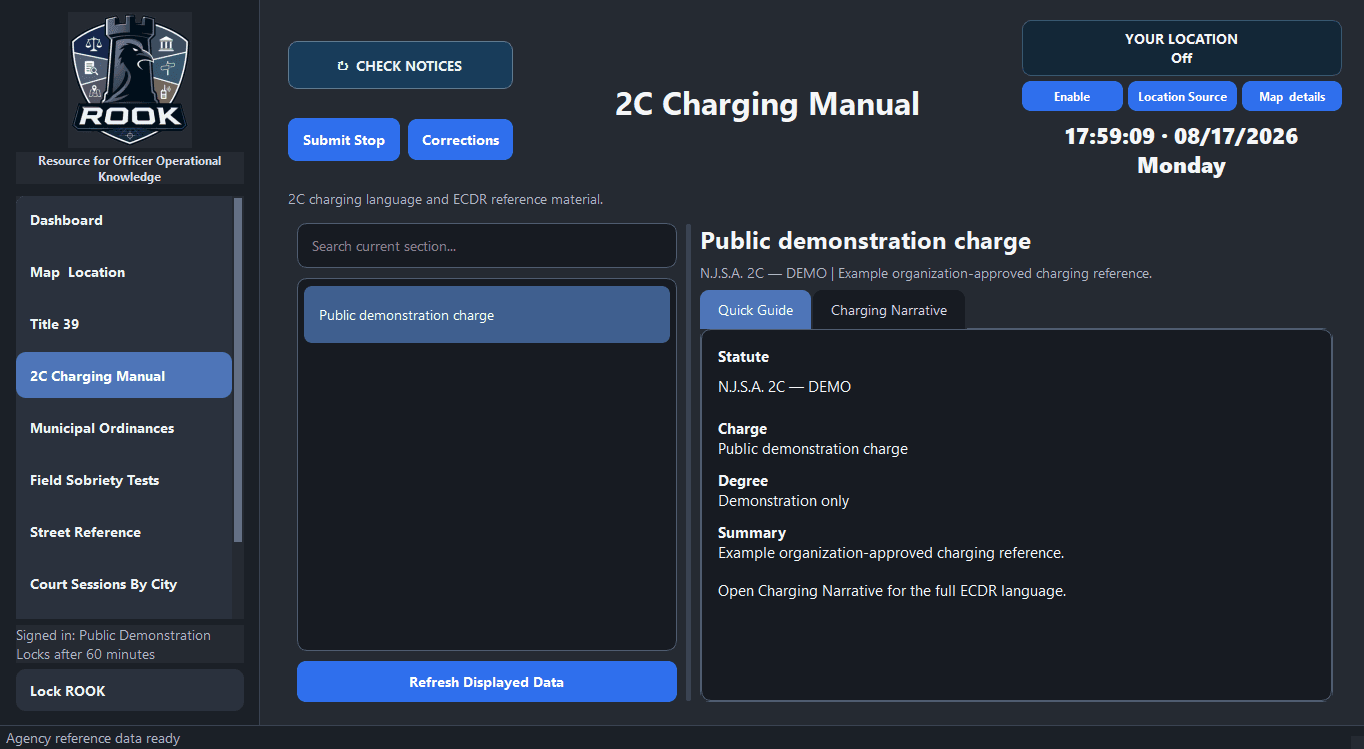
Quick guides and charging-language views organize the approved material into a clear, repeatable reading experience.
THE ADMINISTRATOR EXPERIENCE
Authorized administrators can see current readiness, review field activity, manage officer-facing content, and move verified releases through a clear organization-bound workflow.
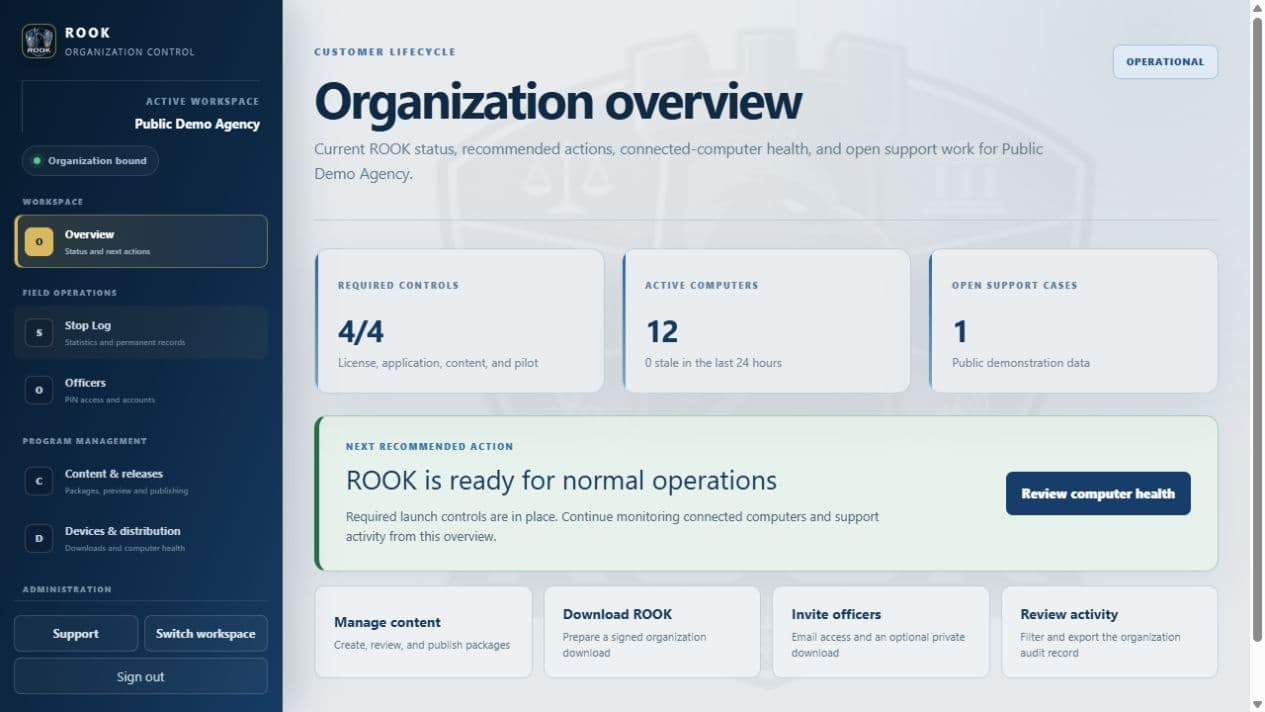
Readiness controls, computer health, support work, and the next recommended action stay together so an administrator can identify what needs attention.
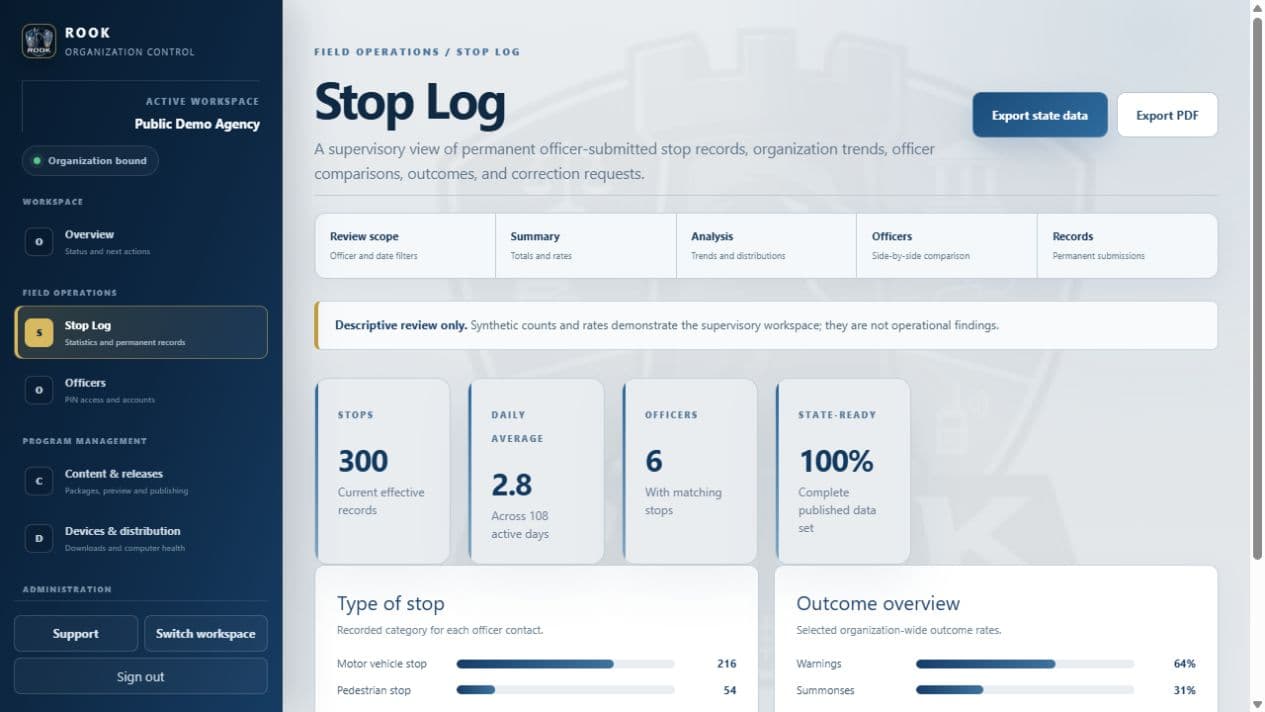
Filters, summaries, distributions, officer comparisons, permanent records, and exports use the same selected scope.
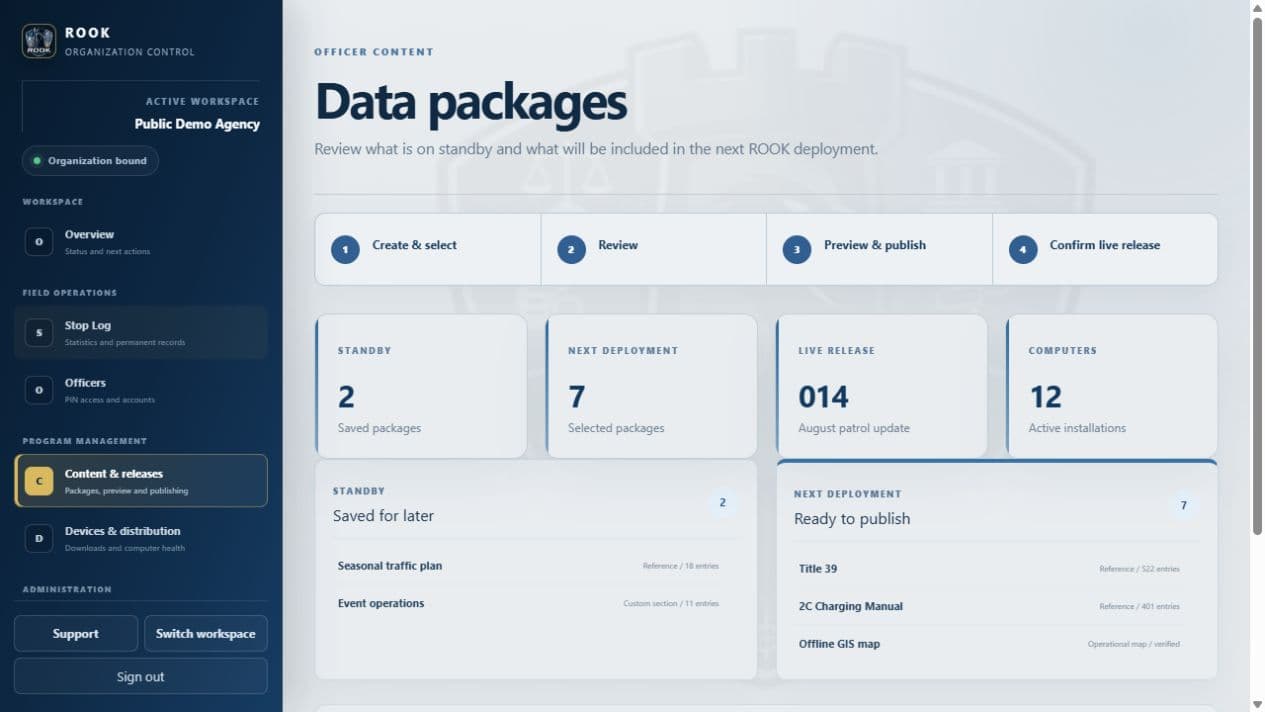
Administrators can select packages, preview the deployment, publish a verified snapshot, and confirm the live organization release.
Product preview. Every officer and administrator screen on this page uses synthetic public-demonstration profiles, references, and activity only. No real customer, department, device, location, access-code, stop, or user information is shown.
A CONNECTED SYSTEM
ROOK connects the officer-facing application to an organization-specific administrative workspace. References and maps remain usable from the last verified local release, while connected services handle enrollment, current access checks, updates, notices, and Citizen Encounter Log submission.
Move from a broad search to the exact reference without working through folders or unrelated material. Title 39, the 2C Charging Manual, and field-sobriety references form the starting library.
Organization owners choose what officers receive. Packages can be prepared, previewed, released with required notes, updated, or removed without changing another organization’s workspace.
Organizations can require officer sign-in using an organization-scoped badge number and a six-digit PIN. Access, session timing, computer enrollment, and account status remain under administrative control.
Authenticated officers can submit required stop information without ROOK retaining a local stop history. Authorized reviewers receive organization and officer statistics, state-data and PDF exports, and an immutable correction workflow.
Location begins off. The officer can scan available Windows, USB or serial NMEA, and supported network NMEA sources, choose one, and enable it separately. ROOK does not connect automatically during a scan.
An approved GIS package can provide touch-oriented maps, literal road suggestions, cross-street selection, address matching, and local nearest-intersection context without sending routine location telemetry to Canis Viae.
Authorized administrators can send time-limited notices to ROOK. Officers can check immediately, review received notices, and receive updates through the application’s normal synchronization process.
The shared Windows application is distributed through protected organization enrollment. Approved production releases are Microsoft-signed and timestamped, and enrolled computers check for verified application and content updates.
The portal brings license status, protected downloads, release adoption, enrolled computers, officer access, delegated permissions, and operational health into one organization-separated administrative workspace.
ROOK / CUSTOMER ACCESS
Licensed organization owners can publish information, manage officer access, issue protected downloads, monitor computers and release adoption, review Citizen Encounter Log activity, and manage licensing without moving between separate systems.
Sign in with the organization-owner account connected to ROOK. Eligible portal access will appear directly on this page.
Sign in to check accessHOW IT WORKS
Build a private library of reference material and optional offline GIS data selected by the organization.
Preview selected packages and publish one versioned release for enrolled ROOK computers.
Use a protected direct download, a managed-IT enrollment file, or an optional time-limited officer invitation link.
Manage officers, notices, computers, application updates, published content, Citizen Encounter Log review, and license status from the portal.
AVAILABILITY
Public purchasing is not open yet. Existing licensed and testing organizations can sign in above.